
Install and quick start
Weft is an open-source canvas for thinking with AI. It runs from source today; the repository has not published prebuilt desktop installers yet.
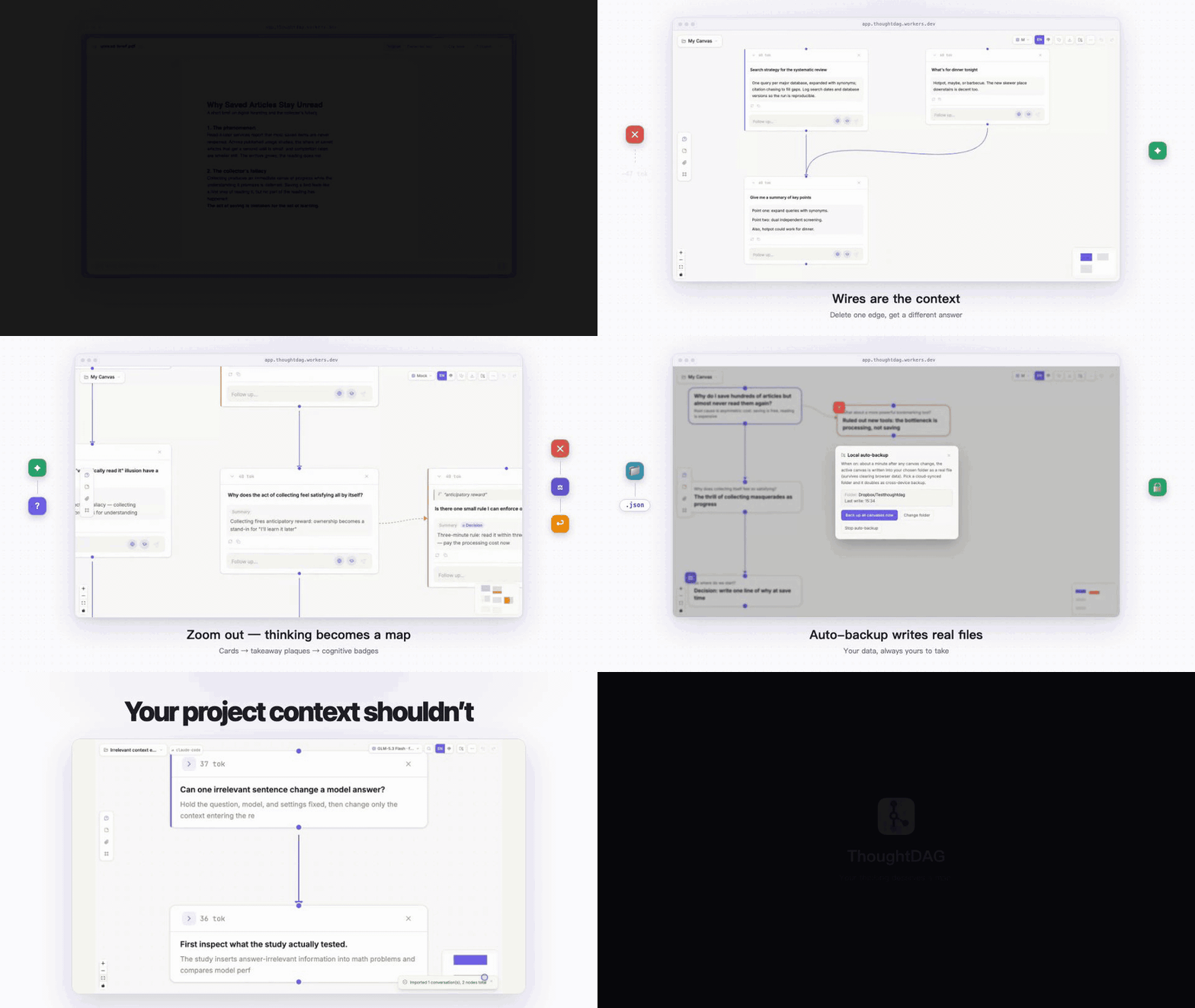
Weft turns LLM conversations into an editable graph. Each node contains a question and answer; incoming wires determine what the model sees next.
Run from source
Requires Node.js 20 or newer:
git clone https://github.com/chenziyaos/weft.git
cd weft
npm install
npm run server   # model proxy on http://localhost:3001
npm run dev # canvas on http://localhost:5173Open http://localhost:5173. You can configure a provider key or an OpenAI-compatible endpoint inside the app, so an .env file is optional.
For a single weft command (weft serve starts the server and opens the canvas; it also carries the why layer and the agent Skill installer):
npm install -g weft-canvas                # or run once: npx weft-canvas serve
weft serve # http://localhost:3001Start from a problem
Remove context you no longer want · Branch a side question · Reuse an earlier discussion
Connect your first model
When you need generation, choose Connect a model. One connection is enough to begin; you do not need to configure every option.
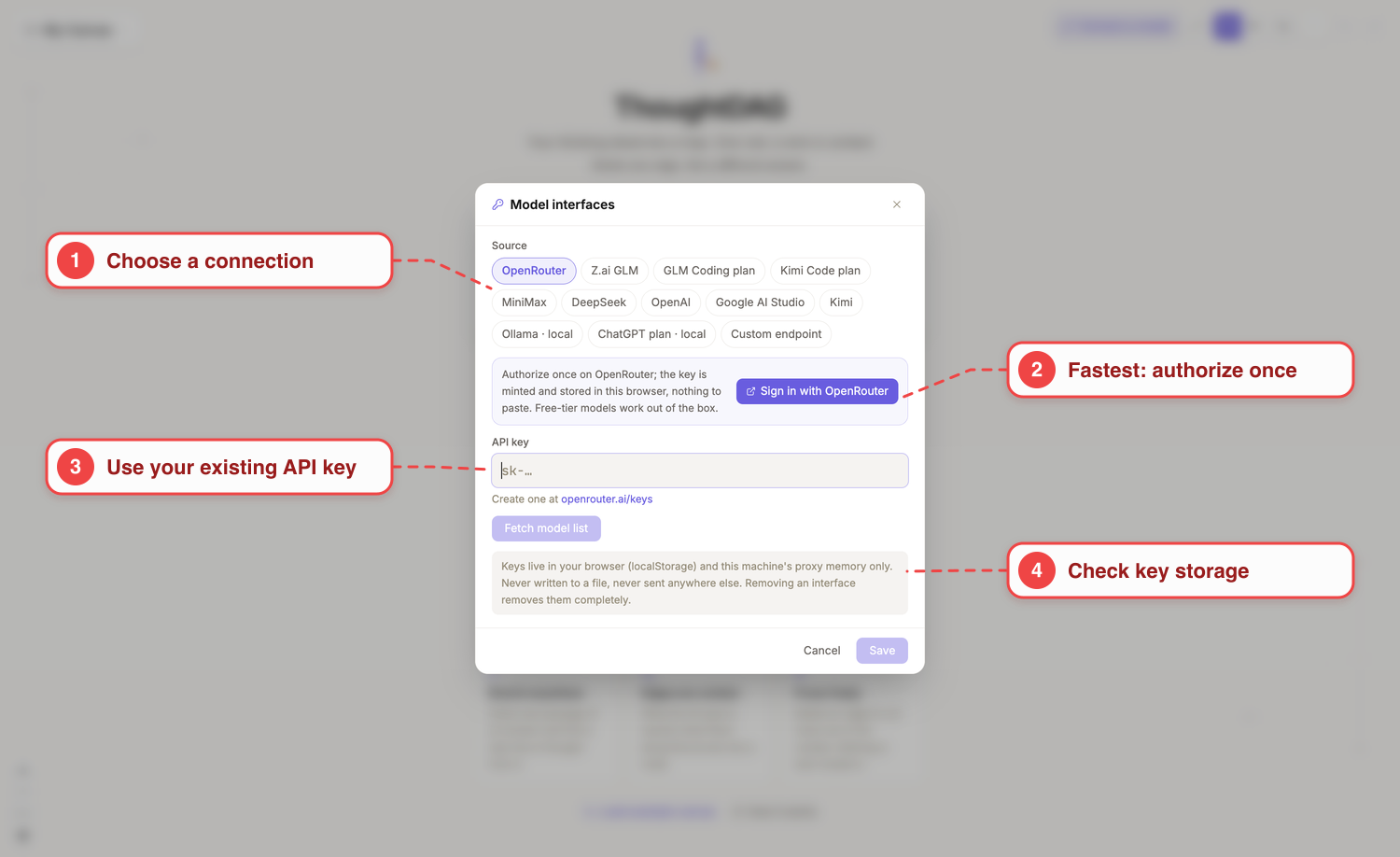
The red callouts are documentation overlays. Open the unannotated screenshot.
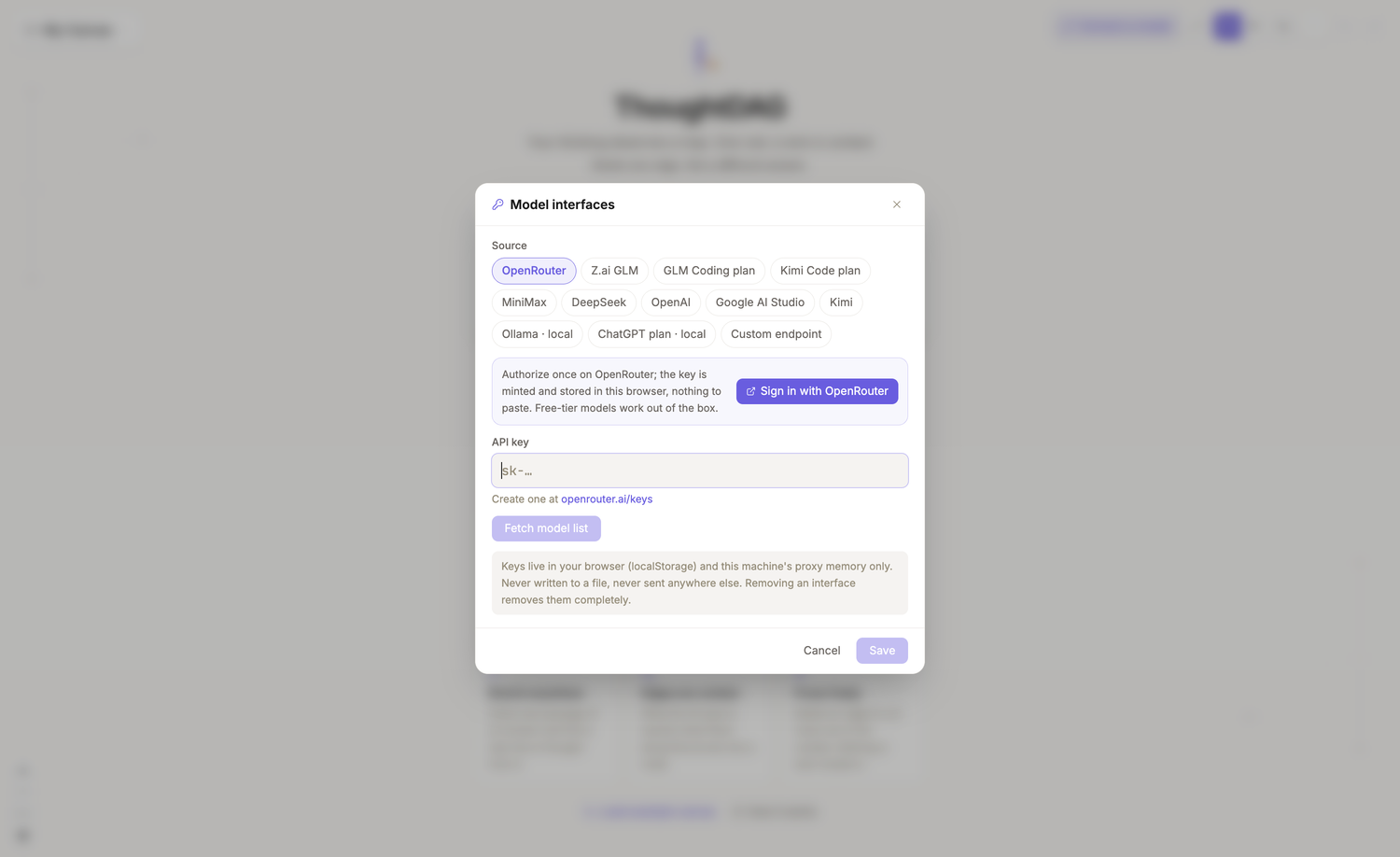
- Fastest path: use the one-time authorization in the interface.
- Existing API key: choose its provider preset and paste the key.
- Local model: choose Ollama, or use a custom endpoint.
The flow is: choose a connection → authorize or enter a key → fetch models → select models → save. The window states where connection information is kept; see Connect a model for providers, subscriptions, local models, and developer configuration.
Continue
- Load the example canvas or ask your first real question.
- Open the interface overview to learn the toolbar, nodes, wires, and floating panel.
- To continue local agent work, see source and handoff setup.
Browse all guides by interface area →
Other ways to run Weft
Desktop shell
The Electron shell lives in desktop/ and starts from source with npm run desktop. Pushing a v* tag runs the desktop GitHub Actions workflow, which packages macOS, Windows and Linux builds into a draft release; without signing certificates configured the builds are unsigned. Published versions, when there are any, are on GitHub Releases.
Read-only share pages
#view= share links are static pages with no server involved; the repository's GitHub Pages workflow publishes the website, the docs and a static copy of the canvas under https://chenziyaos.github.io/weft/.